Alerts
Alert Fatigue Is Not Just an Engineering Problem
When every small movement pings a Slack channel, people learn to ignore the channel.
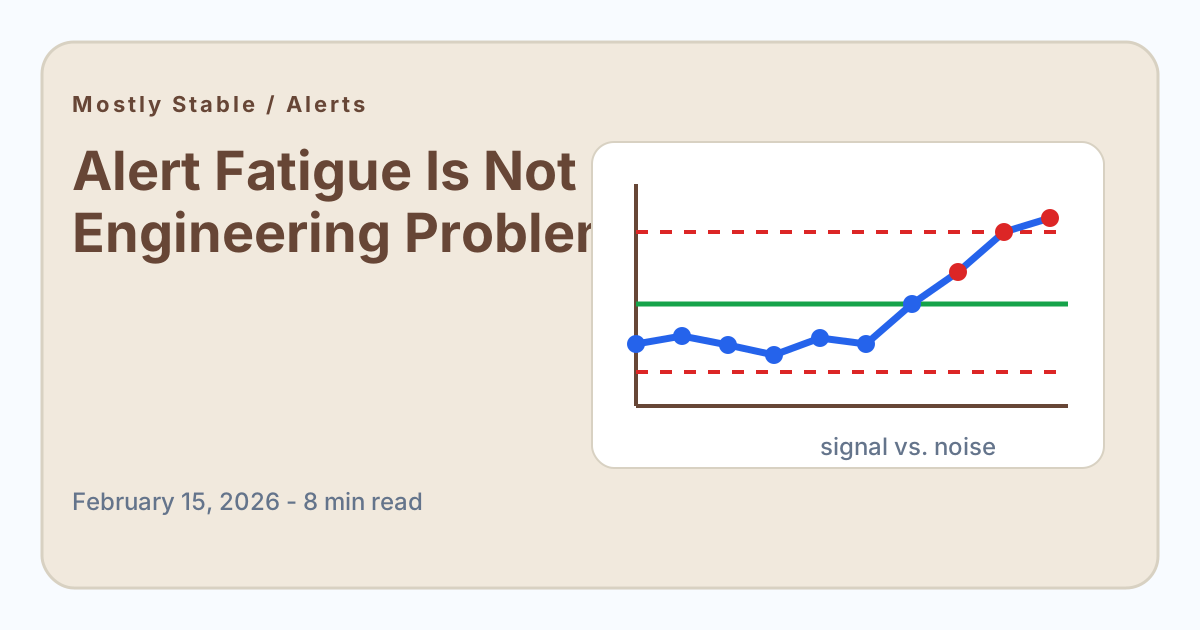
Engineering teams have a name for the numbness that comes from too many alerts: alert fatigue. The same thing happens in growth, support, sales, and operations. It just looks a little more polite.
The Slack message says trials are down 8 percent. The dashboard tile turns red. A weekly report flags response time as "at risk." Nobody is paged at 2 a.m., but the effect is similar. People stop trusting the alert stream because too many alerts are not actionable.
Thresholds are blunt
Most business alerts are built around fixed thresholds: below 95 percent is red, above 95 percent is green. That is easy to understand, but it ignores how the metric naturally behaves. A process that normally moves between 91 and 98 percent will cross a 95 percent threshold all the time, even if nothing changed.
That alert does not reveal a problem. It reveals that the threshold was not built from the process.
Use behavior, not vibes
Process behavior charts calculate limits from actual historical performance. Instead of asking whether the number crossed an arbitrary target, they ask whether the number is unusual for this system.
That makes alerts rarer and more useful. A signal alert says, "This does not look like normal movement." That is very different from, "This missed a target we set in a planning doc six months ago."
A better alert policy
- Alert on signals, not every target miss.
- Keep targets visible, but separate them from control limits.
- Review whether each alert produced a useful decision.
- Retire alerts that mostly create discussion without action.
The goal is not silence. The goal is trust. A team that receives fewer, better alerts will move faster when one of them actually matters.
A business alert should earn its interruption
Every alert borrows attention from something else. A metric alert that lands in Slack during a planning session, customer call, or focus block should be worth the context switch. If the recipient cannot tell what action the alert expects, the alert is not doing its job.
Many business alerts fail because they are built around anxiety instead of action. Someone once got surprised by a metric, so the team added a threshold. The threshold fired too often, so people muted it. Then the original problem came back through a channel nobody trusted anymore.
Useful alert design questions
- What decision should this alert change?
- Who is expected to act?
- What evidence would make this alert a false positive?
- How often has this alert led to a useful intervention?
- Does the threshold reflect actual process behavior or a target someone wishes were true?
If the team cannot answer those questions, the alert probably needs redesign before it needs automation.
Targets are not alert rules
A target miss may be important without being urgent. If trial conversion is predictably below target every week, sending an alert every Friday does not help. The business already knows the process is not capable. The correct response is improvement work, not another notification.
A signal is different. A signal says the process is behaving in a way it has not recently behaved. That is closer to the kind of event an alert should surface.
How to audit the current alerts
Take the last 30 alerts and label each one: useful action, useful awareness, no action, duplicate, unclear. Then look at the no-action and unclear groups. Those are the places where process behavior limits can replace arbitrary thresholds or where the alert should simply be retired.
Teams rarely need more alerting. They need alerts that are trusted enough to interrupt real work.